

In this GoHighLevel review, we’re sharing insights from over 5 years of hands-on experience—unlike many reviews that simply repeat what’s already on the official website.
We’ll walk you through what GoHighLevel is, the pros and cons we’ve encountered, why we made the switch, how we use it in our daily operations, pricing details, and actual screenshots from our account. Our goal is to give you a real-world perspective to help you decide if GoHighLevel is the right fit for your business.
Let’s dive in!
- Understanding GoHighLevel: What It Is and How It Works
- GoHighLevel Pros and Cons in 2025
- What We Used Before—and Why We Made the Switch to GoHighLevel
- GoHighLevel Review in Action: How We Use It and How It Can Help You Too.
- 1) Effortlessly Capture, Nurture, and Close Leads
- 2) Automate Your Marketing Tasks Using Workflows
- 3) Use Triggers to Automate Internal and External Notifications
- 4) Build as Many Sales Funnels as You Need
- 5) Design Surveys, Forms, and Websites All in One Place
- 6) Build Pipelines and Monitor Lead Opportunities Effectively
- 7) Run Your Email, Voice, and SMS Campaigns
- 8) Automate Your Appointment Booking Process
- 9) Effortlessly Manage, Organize, and Analyze Your CRM
- 10) Seamlessly Sell Your Products and Collect Payments
- GoHighLevel: Key Features and Pricing Overview
- Is GoHighLevel the Right Choice for You?
- Frequently Asked Questions
Understanding GoHighLevel: What It Is and How It Works
Before we get into how we use it in our workflow, let’s take a moment to understand what GoHighLevel is.
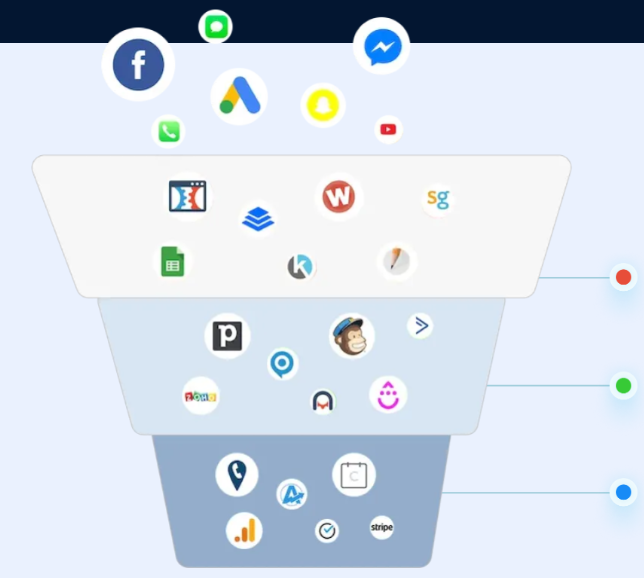
GoHighLevel is an all-in-one sales and marketing platform designed to help businesses grow and build meaningful customer relationships. It equips users with powerful tools to attract more leads, nurture prospects, and convert them into loyal customers—all in one place.
For agencies struggling with sales and marketing automation, GoHighLevel offers a streamlined solution. It’s built-in CRM simplifies lead generation, automation, and management, making it easier to stay organized while strengthening client relationships.
GoHighLevel Pros and Cons in 2025
Pros of GoHighLevel
Cost-Effective Pricing: GoHighLevel offers great value for the features it provides, making it an affordable solution for agencies and businesses.
All-in-One Sales & Marketing Platform: Consolidate your tools into one powerful platform—no need to juggle multiple subscriptions.
Robust Feature Set: A well-balanced mix of tools, including funnel builders, form and survey creators, email marketing, automation, CRM, and more.
Excellent Customer Support: Their support team is responsive and helpful, providing timely assistance when needed.
Free Trial: GoHighLevel typically offers a 14-day free trial; that’s a great way to test GoHighLevel out, even paying for it..
Tool Replacement Power: GoHighLevel can effectively replace numerous tools such as ClickFunnels, Mailchimp, HubSpot, Typeform, Kajabi, and others, saving you time and money.
Client Sub-Account Creation: Create unlimited sub-accounts for your clients under one agency account, streamlining management and scaling your services.
Cons of GoHighLevel
Occasional Loading Delays: At times, the platform can be slow to load, which may affect workflow efficiency.
Feature Overload for Beginners: The extensive range of features can be overwhelming for new users.
Learning Curve: Investing time upfront is necessary to fully understand and utilize GoHighLevel’s capabilities.
What We Used Before—and Why We Made the Switch to GoHighLevel
In the early days, our company operated without a dedicated CRM tool and handled everything manually. For example:
- Our sales team managed contacts, leads, sponsorships, and partnerships using Google Sheets and Google Drive.
- WordPress was used to build landing pages, forms, and funnels.
- We relied on Screencastify to record calls and Calendly to schedule appointments.
- For communication, we sent manual emails via Gmail and used Google Workspace for documentation.
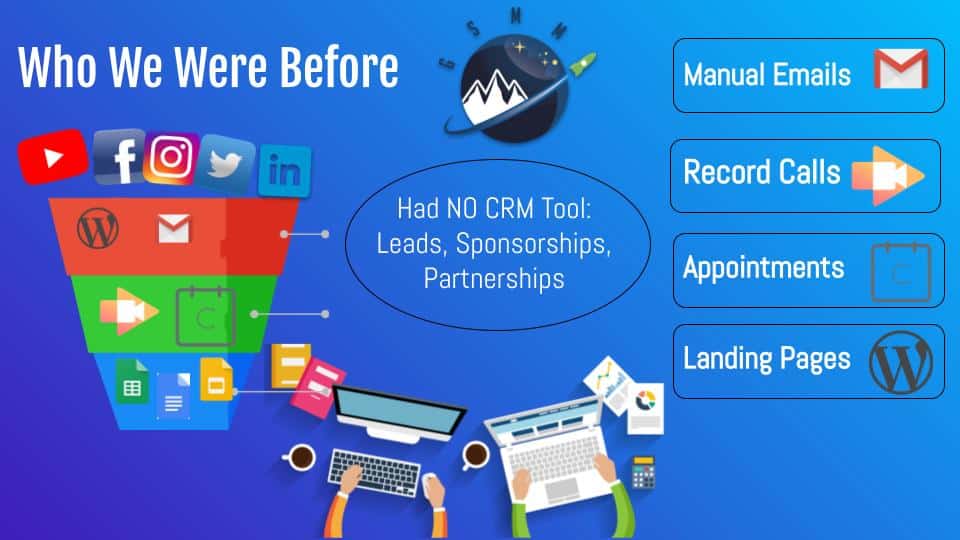
Handling everything manually not only consumed countless business hours but also made tracking and analyzing data extremely challenging. As our company grew, we needed a solution that could streamline automation, CRM management, marketing, and performance tracking.
Eventually, we heard about GoHighLevel from both a client and a potential partner, who highly recommended it for its affordability and effectiveness for marketing agencies. Encouraged by their positive feedback, we decided to give GoHighLevel a try. After the trial period, it was clear that this was the right tool for us. We then upgraded to the GoHighLevel Starter Plan at $97 per month.
Top 3 Reasons We Chose HighLevel Over Other Platforms
1) Comprehensive Feature Set:
GoHighLevel offers a powerful all-in-one sales and marketing platform packed with features like automation, database management, SMS, voicemail, email campaigns, e-commerce, membership portals, surveys, forms, appointment scheduling, and more. It also allows you to create sub-accounts for clients and easily clone existing sales funnels to use across different campaigns or brands. For our growing marketing agency and suite courses e-learning platform, GoHighLevel provided every tool we needed in one place.
2) Affordable Pricing:
Despite offering a wide range of features, GoHighLevel remains very budget-friendly compared to many other tools. What we especially appreciate is the ability to create unlimited sub-accounts for clients under a single agency account, meaning agencies like ours can manage multiple clients without incurring extra costs. This makes GoHighLevel a highly cost-effective choice for growing agencies.
3) Excellent Support:
Another key reason we chose GoHighLevel is their outstanding support system. They offer a comprehensive welcome course, priority support, live calls, a detailed help center, an active Facebook community, events, premium chat service, YouTube training videos, and regular updates. GoHighLevel worked closely with our team to ensure a smooth transition, and without their responsive customer service, it would have been much harder and more time-consuming for us to get up to speed with the platform.
GoHighLevel Review in Action: How We Use It and How It Can Help You Too.
Now, let’s dive deeper into our GoHighLevel review and explore how we use its features in our daily operations.
1) Effortlessly Capture, Nurture, and Close Leads
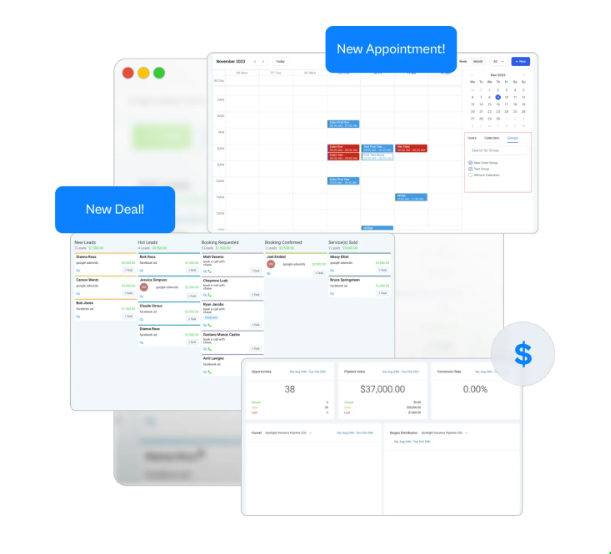
GoHighLevel streamlines the entire lead generation process by providing all the essential tools within a single platform. Here’s a quick overview of how it works.
Capture New Leads:
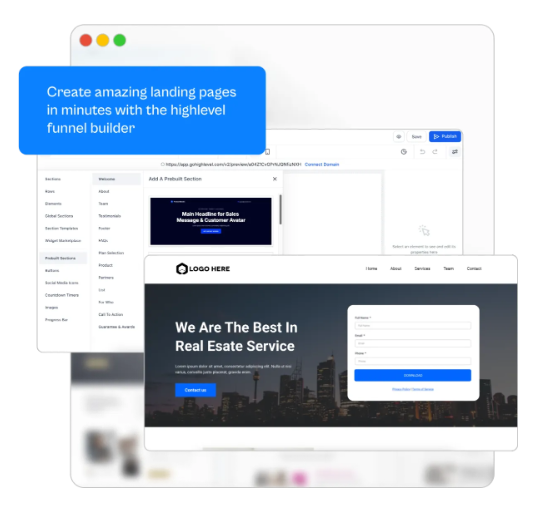
GoHighLevel simplifies capturing high-quality leads while keeping all our projects organized. Within the dashboard, you have several options to attract new prospects — from creating funnels, landing pages, surveys, and forms to scheduling calls — all designed to effectively capture leads.
Nurture Leads into Customers:
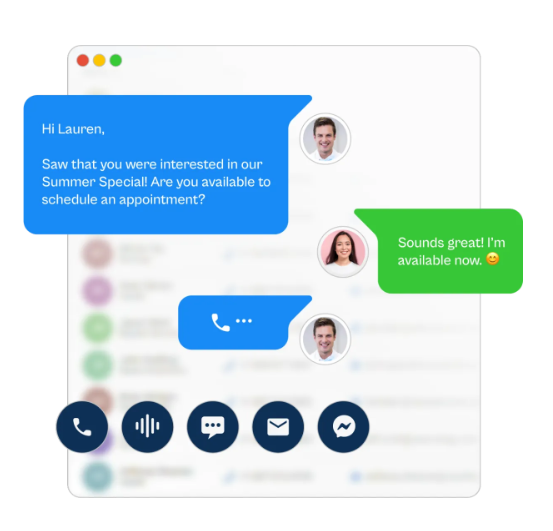
For nurturing, there are many features, such as automated responses, follow-up campaigns, multi-channel campaigns to connect through different devices, and two-way communication to build close relationships with clients. Before GoHighLevel, our sales department was looking for a way to improve response rates, and after using its nurturing features, we were able to get strong leads.
Close More Deals:
GoHighLevel not only helps you build strong, personal relationships with clients but also makes it easy to track and analyze lead progress. The platform lets you monitor lead status, collect payments, and get a clear overview of your campaigns. Additionally, you can integrate third-party tools for deeper analytics and more advanced insights.
2) Automate Your Marketing Tasks Using Workflows
One of our biggest challenges was manually managing repetitive marketing tasks, which consumed valuable business hours that could have been better spent generating leads. GoHighLevel solved this problem with its powerful Workflow automation feature.
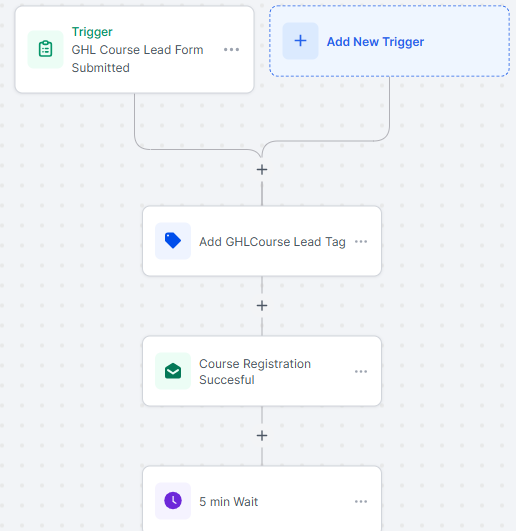
Workflow automation allows you to design a process once, and then it runs automatically without any further manual input. We use workflows for a variety of purposes, including automating guest blogging systems, onboarding new clients, managing online appointment bookings, course sign-ups, and many other marketing tasks.
Below is an example of the workflow automation we created for a GHL course, demonstrating how GHL course leads are nurtured automatically after being captured.
3) Use Triggers to Automate Internal and External Notifications
Often, we need to send notifications to our team or clients. While these tasks are quick, they still take up time that could be better spent elsewhere.
With GoHighLevel’s trigger feature, you can automate sending both internal and external notifications. The platform offers a variety of triggers, such as birthday reminders, task alerts, order submissions, lead form completions, and other sales-related notifications.
For example, we use a “course lead form submitted” trigger for our courses. Whenever someone submits a course sign-up form, this trigger automatically notifies our team. This way, the responsible team members can promptly follow up with the new course lead.
4) Build as Many Sales Funnels as You Need
Sales funnels have become an essential marketing strategy for businesses today. We create sales funnels not only for our own business but also for our clients. One of the best things about GoHighLevel is that it lets you build unlimited sales funnels—unlike many other marketing tools.
With its intuitive drag-and-drop builder, creating funnel pages is a simple and efficient process. You can choose to host your funnel pages directly on GoHighLevel or use the LeadConnector plugin to embed them seamlessly into your WordPress site.
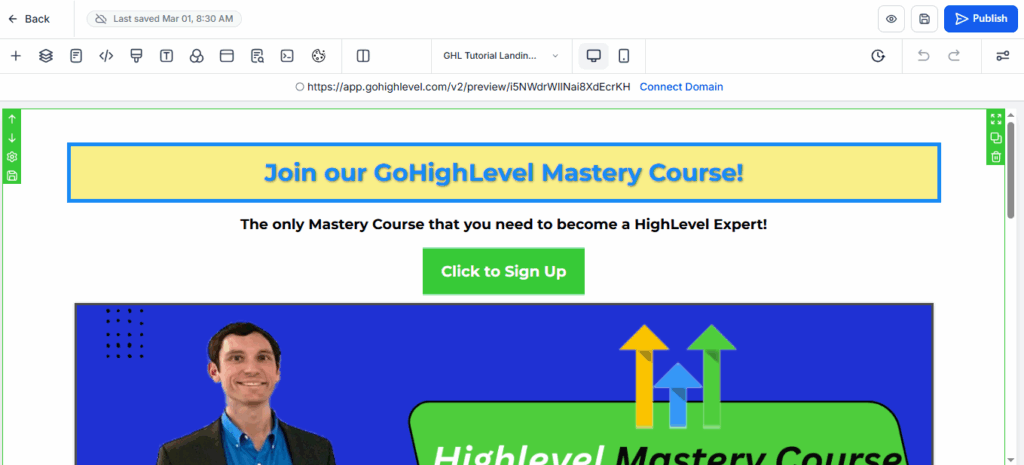
Additionally, tracking codes can be integrated into your sales funnels to measure performance at every stage.
Additionally, you can set up workflows and trigger automations within your sales funnels to capture, nurture, and close leads automatically.
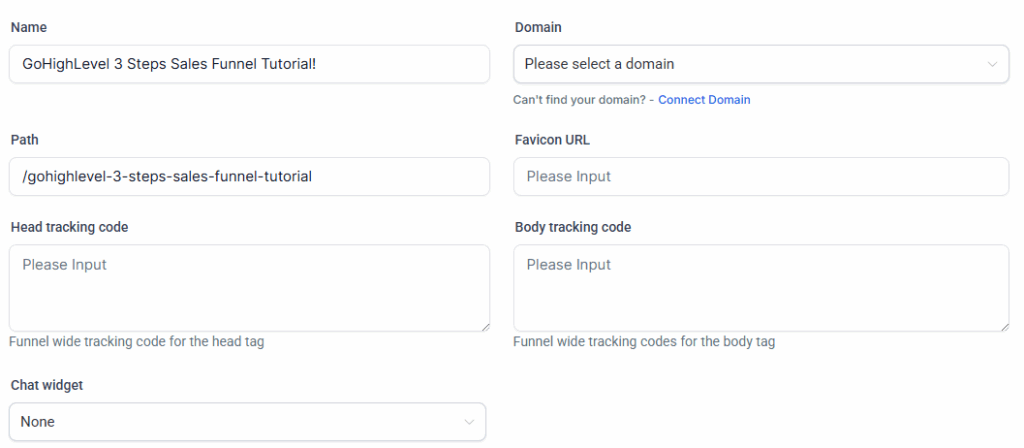
For example, we recently created a GoHighLevel course sales funnel using GoHighLevel to generate course leads. This three-step funnel includes a conversational course landing page, a form to capture lead information, and a checkout page. We fully automated the backend process with GoHighLevel. Here’s a quick overview:
- Tagging leads with a “GHL course lead” label.
- Sending internal notifications to team members about new leads.
- Sending course login information to the lead.
- Sending automated, personalized voicemail drops to engage leads at every step
- Setting follow-up emails to course leads who signed up for the GHL course.
5) Design Surveys, Forms, and Websites All in One Place
Before switching to GoHighLevel, we used the paid WPForms plugin to create our forms. After choosing GoHighLevel, we rebuilt all our forms within the platform, which helped us eliminate the cost of the WPForms plugin. Now, we create every form directly in GoHighLevel and embed it into our WordPress site or sales funnels.
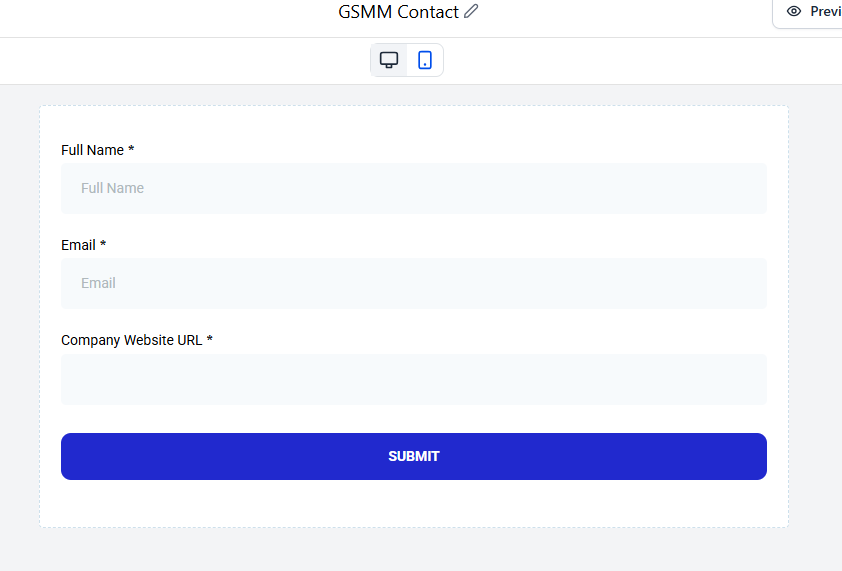
Surveys and forms can be easily created and saved using the dedicated survey and form builder tabs. Inside these builder tabs, you’ll find three key sections:
The Builder tab allows you to create surveys or forms by simply dragging and dropping questions onto the landing page. You can choose from standard questions or create custom ones, which are then saved in the custom fields tab for future use.
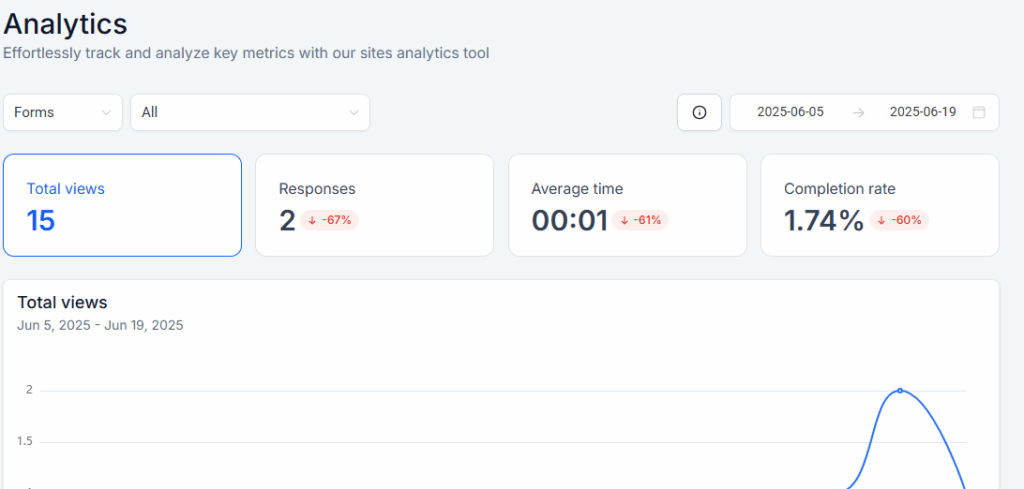
The analyze tab lets you track and review submissions over time.
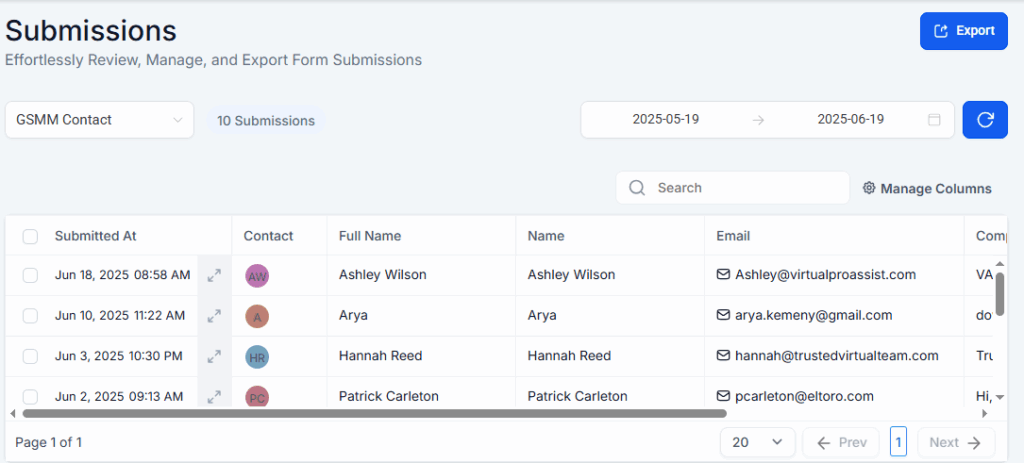
The submissions tab lets you view all survey or form responses, along with the detailed answers.
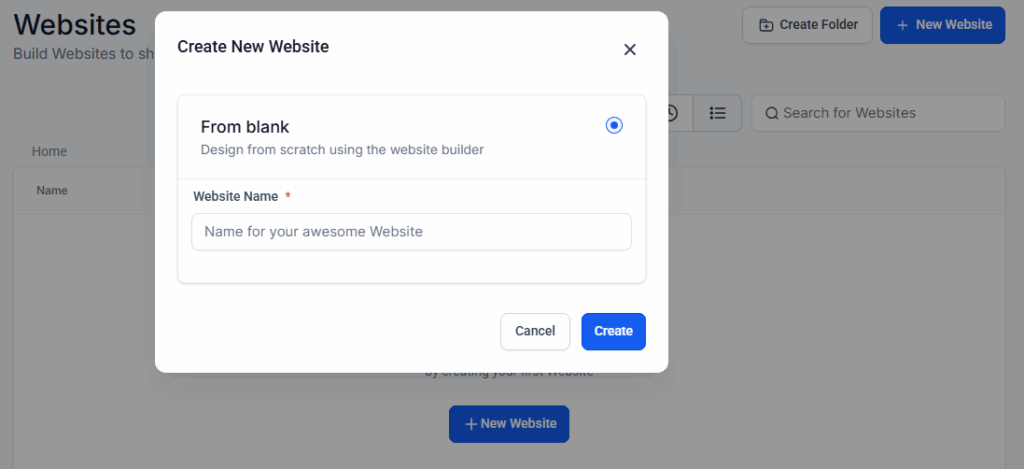
In addition, HighLevel allows you to build a complete website directly within the platform. Although we haven’t used this feature ourselves, since our current website is built on WordPress, it’s a great option for businesses looking to manage everything in one place without relying on third-party website builders.
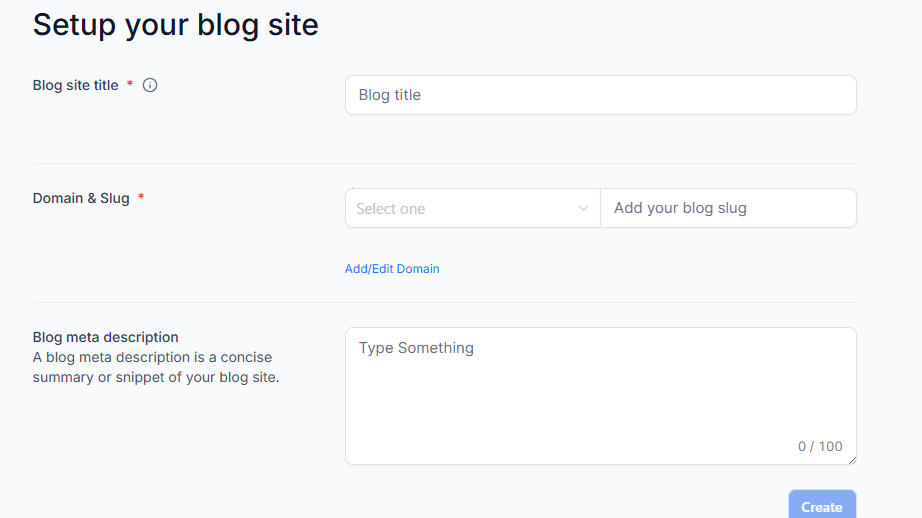
Recently, GoHighLevel introduced a blog feature that allows you to write, edit, and publish SEO-friendly blog posts directly within the GoHighLevel blog editor.
6) Build Pipelines and Monitor Lead Opportunities Effectively
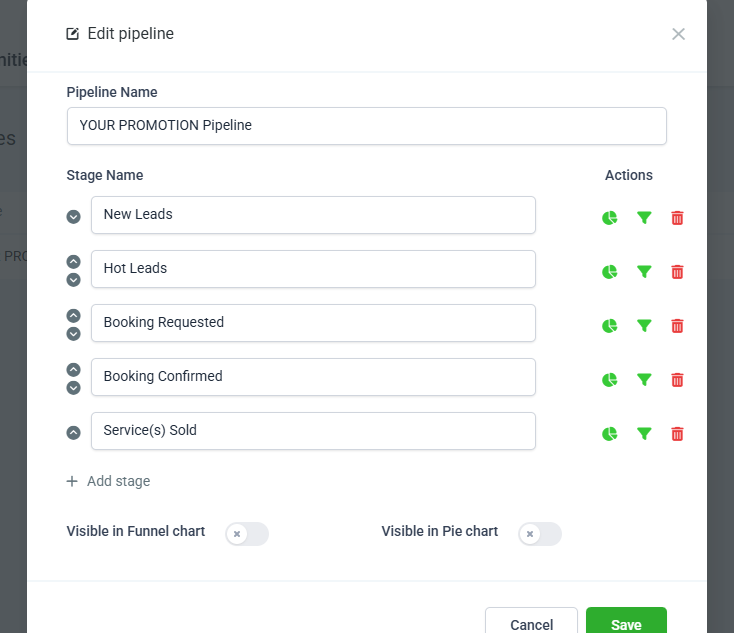
Using GoHighLevel’s pipeline feature, we set up various stages within the sales funnel to track the status of each lead. For example, we created a pipeline specifically for our promotion sales funnel, defining the different stages that promotion leads move through, as illustrated below.
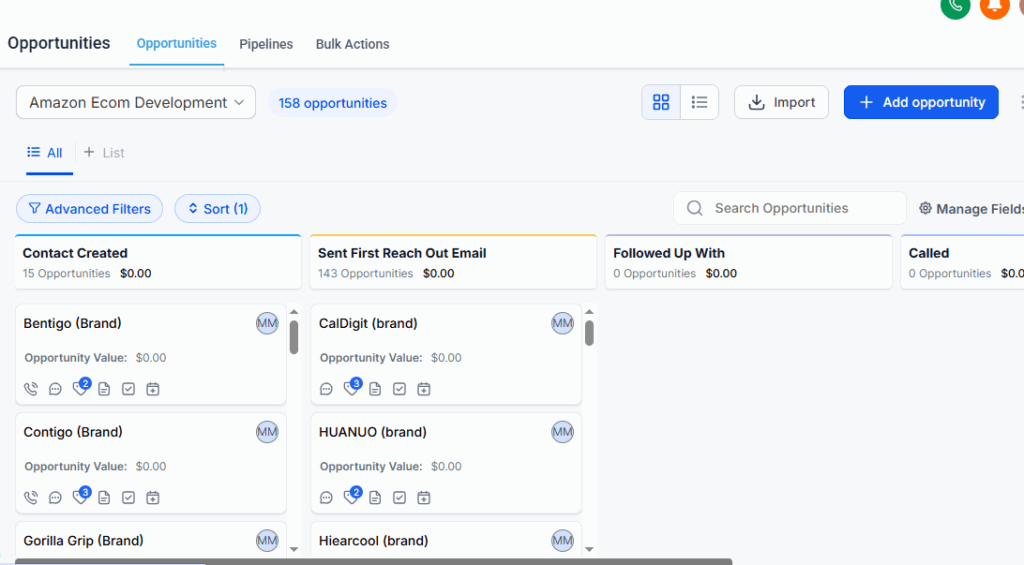
After setting up the pipeline, you can go to the Opportunities tab to track your leads. Simply select the desired pipeline from the dropdown menu and choose a date range. From there, you can monitor the status of each lead and see where they are in the sales funnel. You can also easily move leads between stages as they progress.
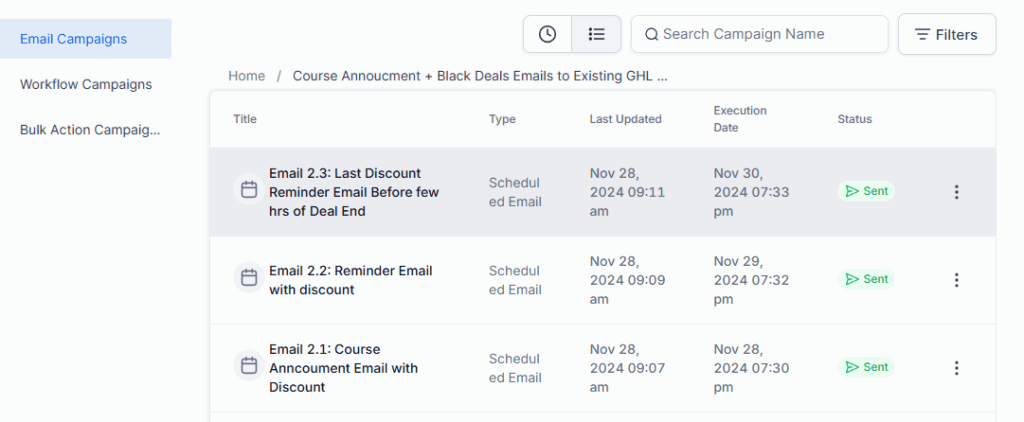
7) Run Your Email, Voice, and SMS Campaigns
A large portion of our budget used to go toward email marketing software for building, running, managing, and tracking campaigns. However, with GoHighLevel, we eliminated that expense entirely since the platform includes these features right within the dashboard.
What’s even better is that it supports not only email campaigns but also SMS, Messenger, calls, voicemails, and many other marketing channels. Plus, you can integrate your GoHighLevel account with Twilio to make and receive phone calls and SMS using standard web protocols.
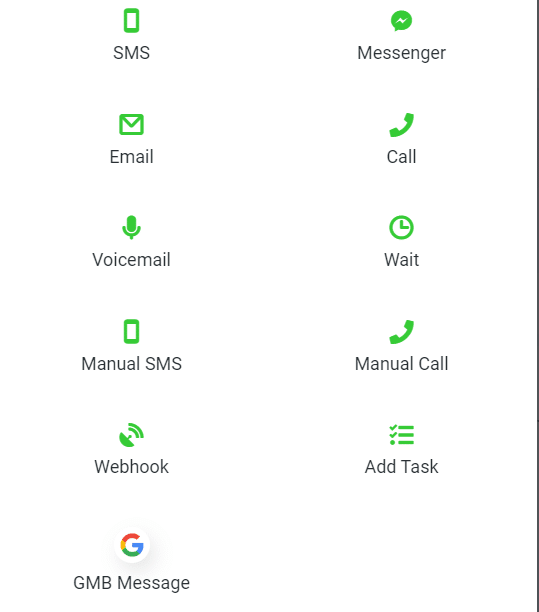
Additionally, you can easily monitor the performance of each campaign, as shown below.
8) Automate Your Appointment Booking Process
Have you ever noticed how much time goes into coordinating with clients to find a suitable appointment time? It can add up, right?
At GSMM, we offer free consultation calls to clients interested in our services. However, manually following up to schedule these appointments wasn’t always feasible. To solve this, we automated the appointment booking process using GoHighLevel and Calendly. We set up a dedicated GoHighLevel sales funnel integrated with our CEO’s Calendly account and GoHighLevel automation.
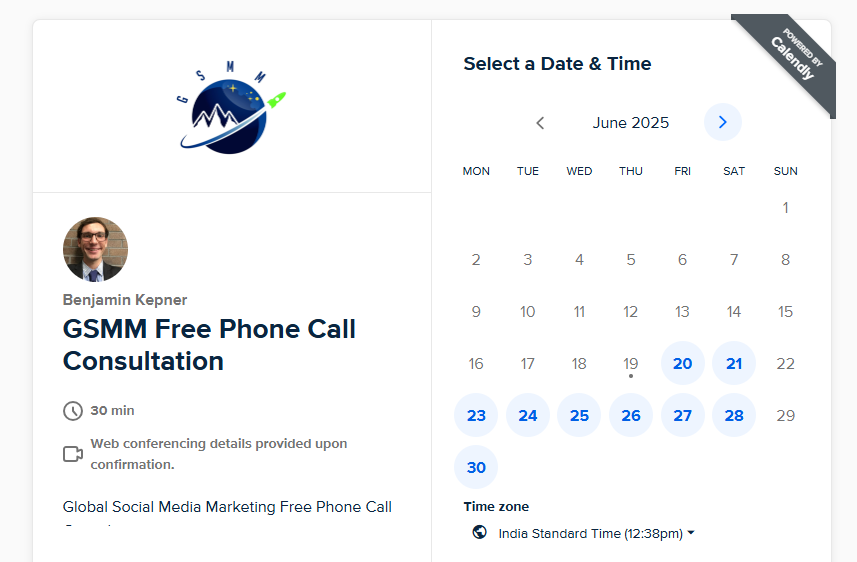
Whenever a client wants to book a call with our CEO, they simply visit our free consultation landing page. There, they enter their details and select a convenient time to automatically schedule the call. Behind the scenes, the lead is sent to our GoHighLevel CRM, which manages the next steps automatically, such as sending internal notifications to our CEO with the call time, lead information, and any other details needed before the consultation.
9) Effortlessly Manage, Organize, and Analyze Your CRM
GoHighLevel is a powerful CRM that makes managing and organizing contacts simple. We currently have 19,980 contacts in our GSMM GHL account, many of which are neatly segmented using tags. These tags help us efficiently handle large contact lists—for example, we can assign a “course leads” tag to course student leads and a “guest post” tag for guest blogging contacts.
This tagging system helps us better differentiate and engage with our leads. Managing contacts one by one can be time-consuming, but with the bulk action feature, you can easily manage large groups of contacts. This feature allows you to:
- Merge contacts
- Export or import data
- Delete contacts
- Add or remove tags
- Send emails or SMS messages
- Add contacts to campaigns
- Move contacts through the pipeline
10) Seamlessly Sell Your Products and Collect Payments
With GoHighLevel, you can easily collect payments through invoices or sell services, physical products, and digital goods directly by integrating with third-party payment gateways.
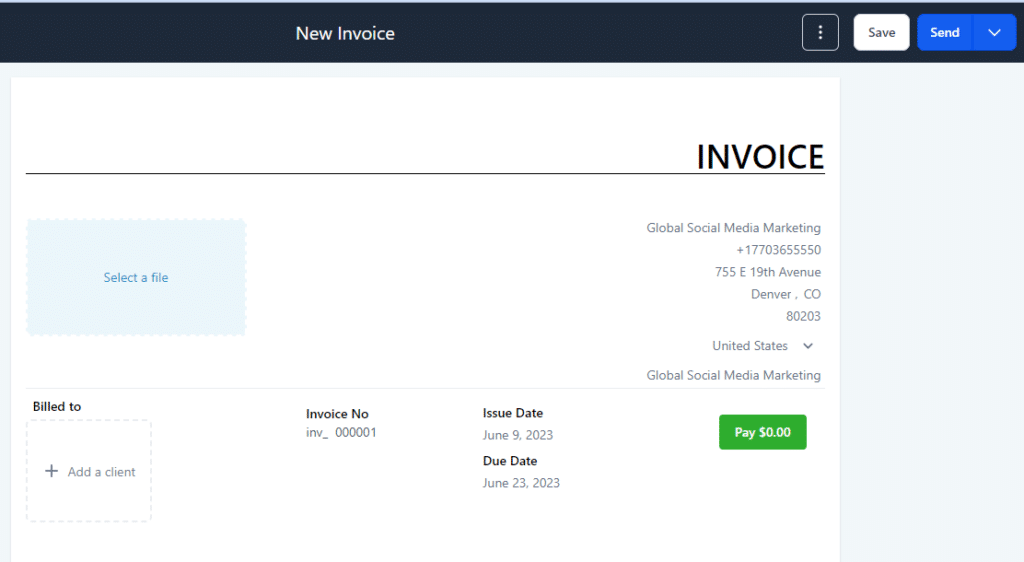
Easily Create and Track Invoices
Depending on your needs, you can create one-time or recurring invoices for your clients and conveniently manage all invoices from a single dashboard.
Build and Sell Your Products
You can create physical products, digital goods, or services directly from the GoHighLevel dashboard and sell them seamlessly through sales funnels.
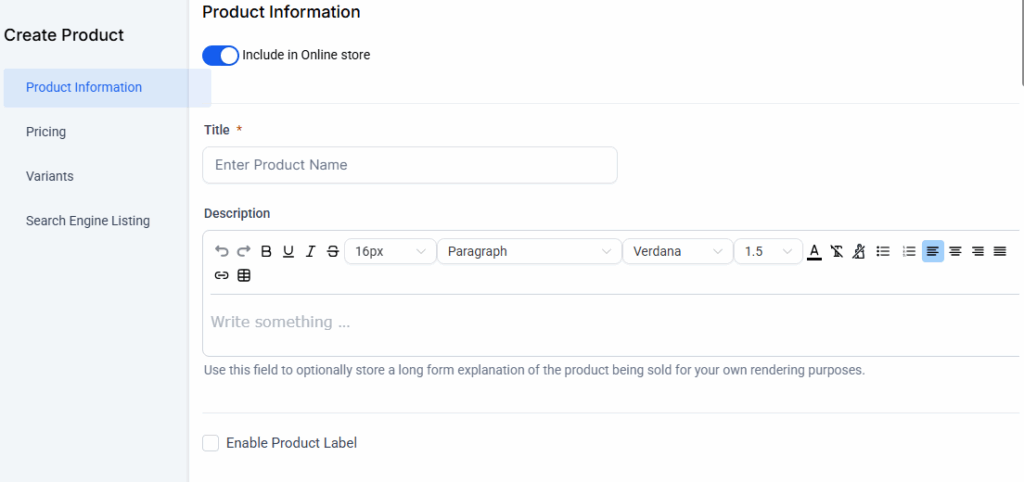
In addition to products, you can create coupon codes to boost your marketing efforts. Simply go to the coupon tab and set them up according to your needs.
Receive Payments and Monitor Transactions
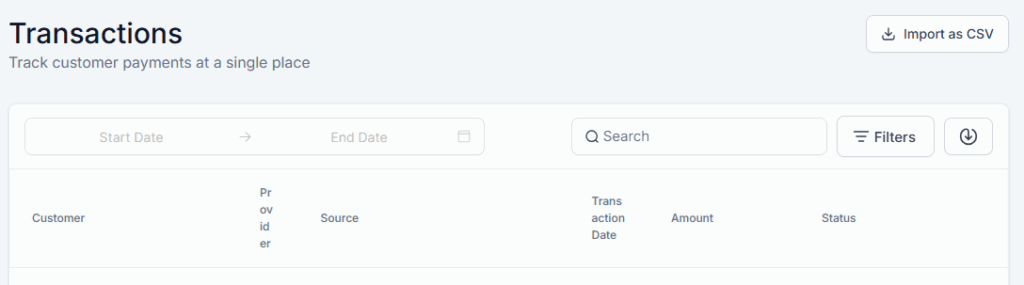
To collect payments, you can integrate GoHighLevel with popular third-party gateways like NMI, Authorize.net, Stripe, and PayPal. The dashboard also lets you create and manage taxes easily. Tracking purchases and revenue is crucial, and GoHighLevel allows you to monitor orders, subscriptions, and transactions directly within your account—no additional tools required.
GoHighLevel: Key Features and Pricing Overview
The screenshots below illustrate the features you get with GoHighLevel and the estimated costs if you were to purchase similar tools individually. GoHighLevel offers very affordable pricing compared to other platforms. Plus, it comes packed with a comprehensive set of features that make it a valuable investment for agencies.
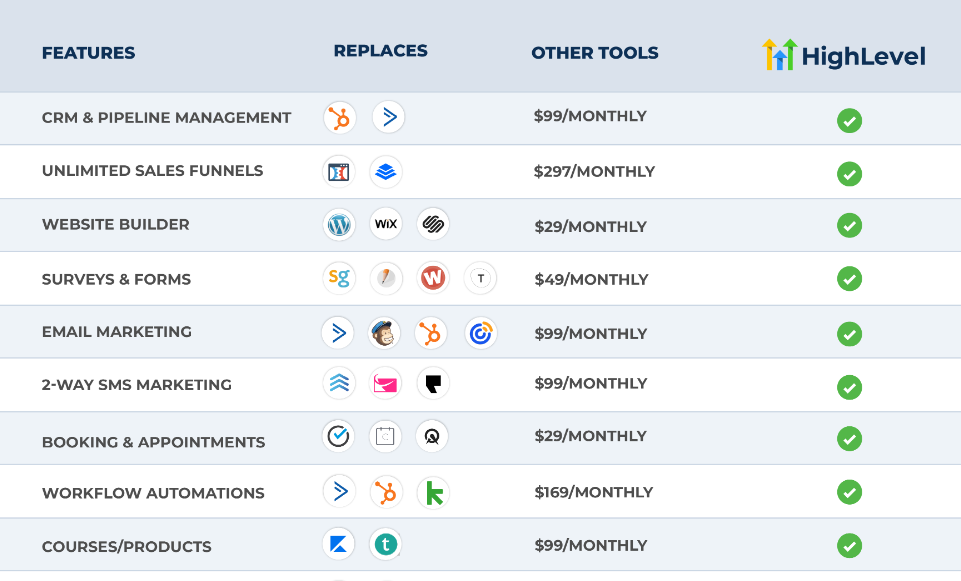
We use the Starter Plan, which includes all the features we need, and it costs $97 per month. If you require more advanced features, the Unlimited Plan is also available for $297 per month. However, for those just starting, we believe the Starter Plan is the perfect choice.
Is GoHighLevel the Right Choice for You?
From our experience, GoHighLevel is an ideal all-in-one sales and marketing platform. It offers a great balance of features and affordability compared to competitors like HubSpot or Salesforce.
Not only did GoHighLevel help us save thousands of dollars previously spent on separate tools, but it also significantly reduced the time spent on marketing tasks through its powerful automation capabilities.
Interested in Trying GoHighLevel? Here is our direct affiliate link👇
Frequently Asked Questions
Is GoHighLevel a Legitimate Tool?
Yes, GoHighLevel is legitimate. We’ve been using it for over five years for both of our companies’ suite courses and GSMM, and also for our clients, and have never encountered any trust or reliability issues. It’s proven to be a dependable platform for our business needs.
Is GoHighLevel a CRM?
GoHighLevel isn’t just a CRM — it’s a full-fledged, all-in-one sales and marketing platform. It eliminates the need for multiple standalone tools by offering a wide range of features designed to help you capture leads, nurture prospects, and close deals — all from a single, streamlined system.